Find properties
Choose a postcode or area, then filter by energy rating, floor area or recorded recommendations for the work you offer.
Search by postcode, energy rating and recorded recommendations to choose properties that fit your work. Reveal the addresses, plan your round and keep each visit and follow-up in one place.
For individual canvassers and field sales teams. Property search for England & Wales.
Choose a postcode or area, then filter by energy rating, floor area or recorded recommendations for the work you offer.
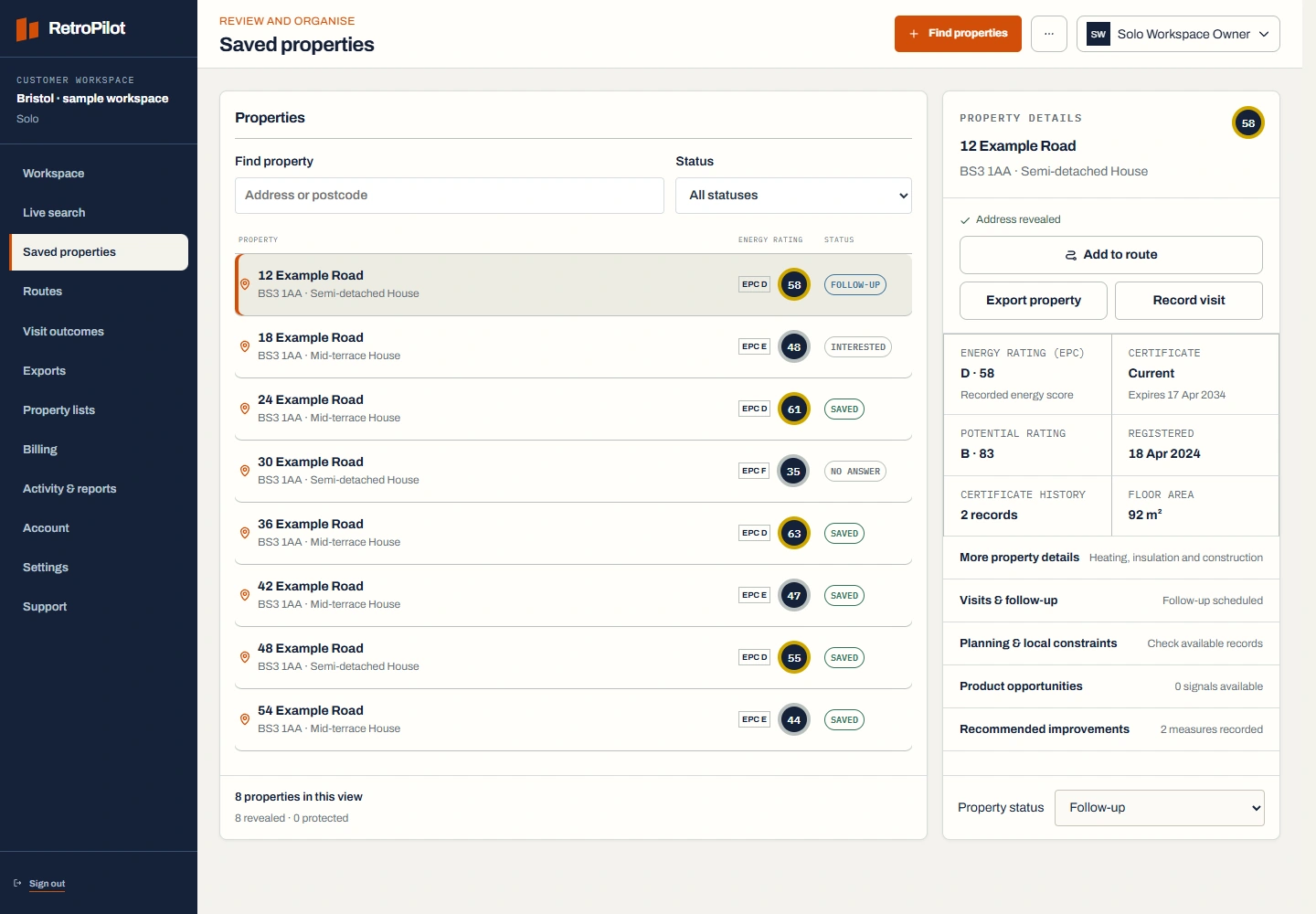
Review the available property details before spending a credit to reveal an address. Save the properties you want to visit.
Put your stops in order on desktop, then open the route and directions on your phone.
Mark no answer, interested or follow-up. Add a note and a date so you know which door to return to.
Turn saved properties into a list of stops. Check the order, open directions to the next address and record the result of the visit.
Illustrative stop order and sample locations. Open your navigation app for walking or driving directions.
Example stops are listed alongside the map.
See the recorded heating system, floor area and wall or loft details. Filter by recorded improvements relevant to your trade, such as solar panels or insulation. Check the certificate date, then confirm the current situation on a visit.
Compare activation plans, included credits and top-ups. An access enquiry starts a conversation; it does not take a payment.